Money Management
September 4, 2026


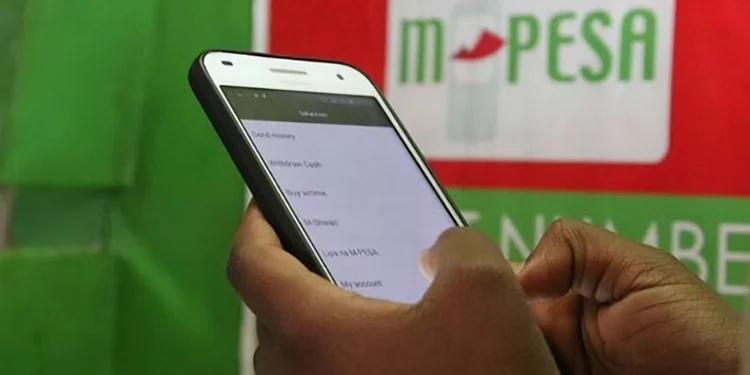
Safaricom introduced Shiriki Pay, a new M-Pesa feature that allows customers to share limited access to their M-Pesa wallet with trusted people such as spouses, children, domestic workers or personal assistants, without sharing their PIN.
The service is designed to make it easier for someone else to make payments on your behalf without transferring money to their own M-Pesa account. Instead, you allocate them a spending limit, and every transaction they make is deducted directly from your M-Pesa wallet.
Unlike sending money directly, the funds remain in the account holder's wallet. The beneficiary simply receives permission to spend up to a limit set by the account owner.
Anyone who has activated M-Pesa can use Shiriki Pay. The service allows an account holder to add up to two beneficiaries.
The beneficiaries can include a spouse, a child, a domestic worker or a trusted individual such as a personal assistant
Also Read: Safaricom Launches Ziidi Trader: How to Buy NSE Shares on M-Pesa App
Customers can access the service by dialling *234# and through the my OneApp (formerly M-Pesa app). New users are required to opt in to the service and authenticate using their M-Pesa PIN.
Open the Shiriki Pay menu on USSD or the M-Pesa App. Select the add beneficiary option and enter the beneficiary's phone number (for example, a spouse’s number) and set the limit you would wish for them to spend. After that, continue with the prompt to confirm the addition.
Once added, the beneficiary will be able to use the allocated limit to send money and make payments via the Pay Bill, Buy Goods and Pochi la Biashara options.
One of the biggest differences between Shiriki Pay and a normal M-Pesa transfer is that the money never leaves the account holder's wallet.
Also Read: CBK Introduces M-Pesa Option When Buying Bonds
To make a payment using Shiriki Pay, dial *234# or open the Shiriki Pay feature in the M-Pesa app. Select your preferred transaction type (Pay Bill, Buy Goods, Pochi la Biashara, or Send Money), then choose the shared wallet you want to use. Enter the recipient's business or till number or phone number for Send Money, key in the amount, review the transaction details, and confirm the payment using your M-Pesa PIN.
Shiriki Pay allows the account holder to set either a daily transaction limit or a monthly transaction limit.
The maximum limit that can be allocated to each beneficiary is Ksh20,000 per month.
The account holder can also increase, reduce or completely remove the spending limit at any time.
If there is insufficient money in the account holder's M-Pesa wallet, the beneficiary's transaction will automatically be declined.
The service is currently limited to local payments within Kenya.
Also Read: How to Check Your NSSF Savings on M-Pesa & Via USSD
Safaricom charges Ksh35 every time a Shiriki Pay user limit is set up. In addition, normal M-Pesa transaction charges apply to transactions carried out by a beneficiary.
One can also opt out of the service if they want to by selecting the opt-out option.
.png)


Join 1.5M Kenyans using Money254 to find better loans, savings accounts, and money tips today.


Money 254 is a new platform focused on helping you make more out of the money you have. We've created a simple, fast and secure way to find and compare financial products that best match your needs. All of the information shown is from products available at established financial institutions that our team of experts has tirelessly collected.





%20(1).jpg)

.jpg)

.jpg)